Product manager wants to see when the scope changed
updated 2026-09-20
When
The total looked fine two weeks ago. Now the date is questioned, and nobody can say on which day the points went up.
Set up
- Open the gadget.
- Click Trend.
- Move the pointer over a day.
You get
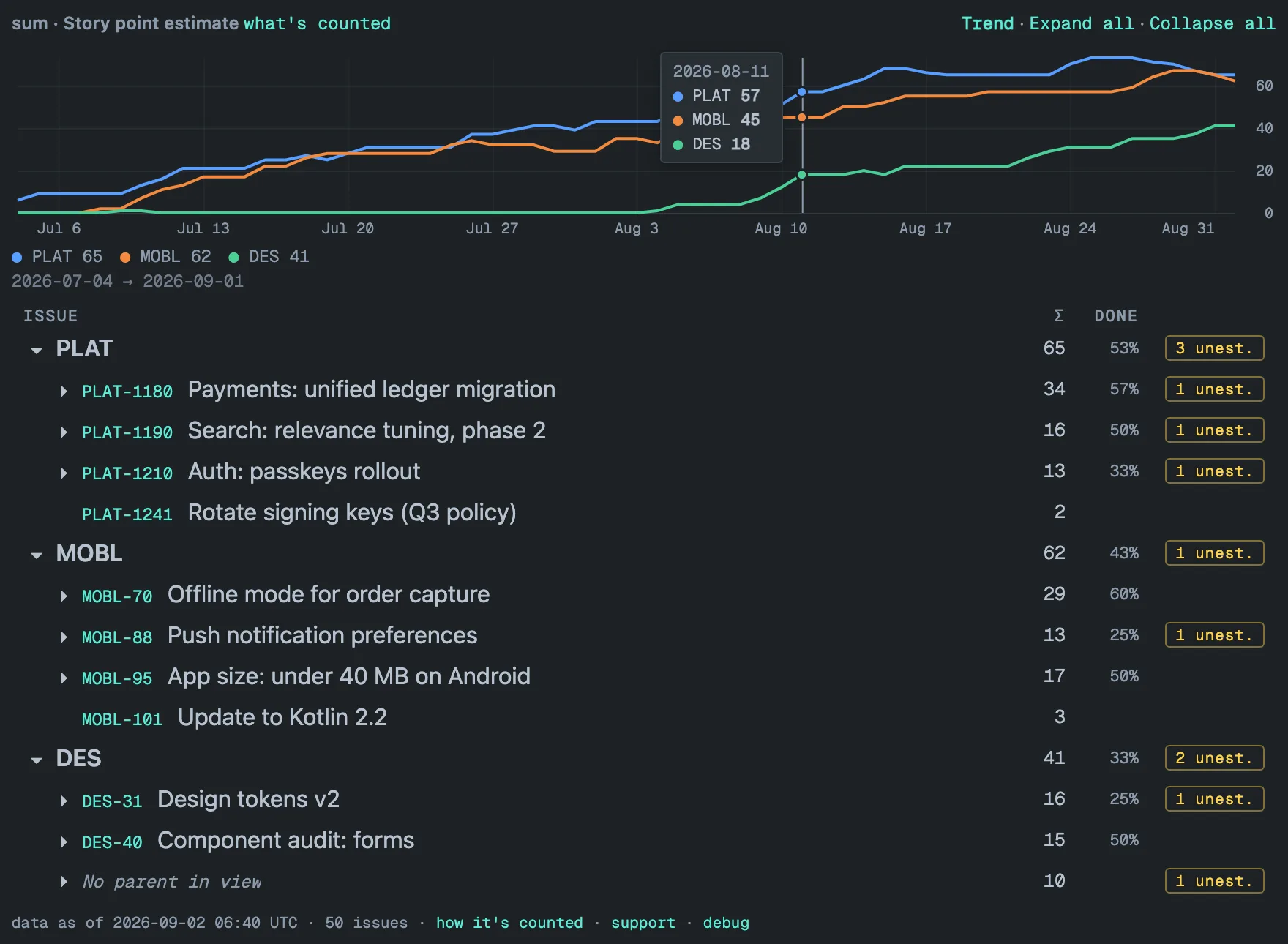
One line per project from the daily history, and a card with every project’s value on the day under the pointer.
Why it pays
“When did it change” is answered from the chart, not from memory or a dig through ticket history.
Limits
History starts the day the gadget is configured — nothing before it. A filtered gadget draws one line for its filtered total. A viewer who cannot browse a project gets the other projects’ lines; a line hidden under issue security is named under the legend. A filtered gadget’s single line is hidden from such a viewer altogether. Daily points for 90 days, weekly before that, up to 400 days back.