Jira admin wants a dashboard number anyone can check in Jira
updated 2026-09-20
When
“The dashboard says 31, my filter says 27” lands as a ticket.
Set up
- Open the gadget.
- Click what’s counted in the header.
- Click Run it in Jira.
You get
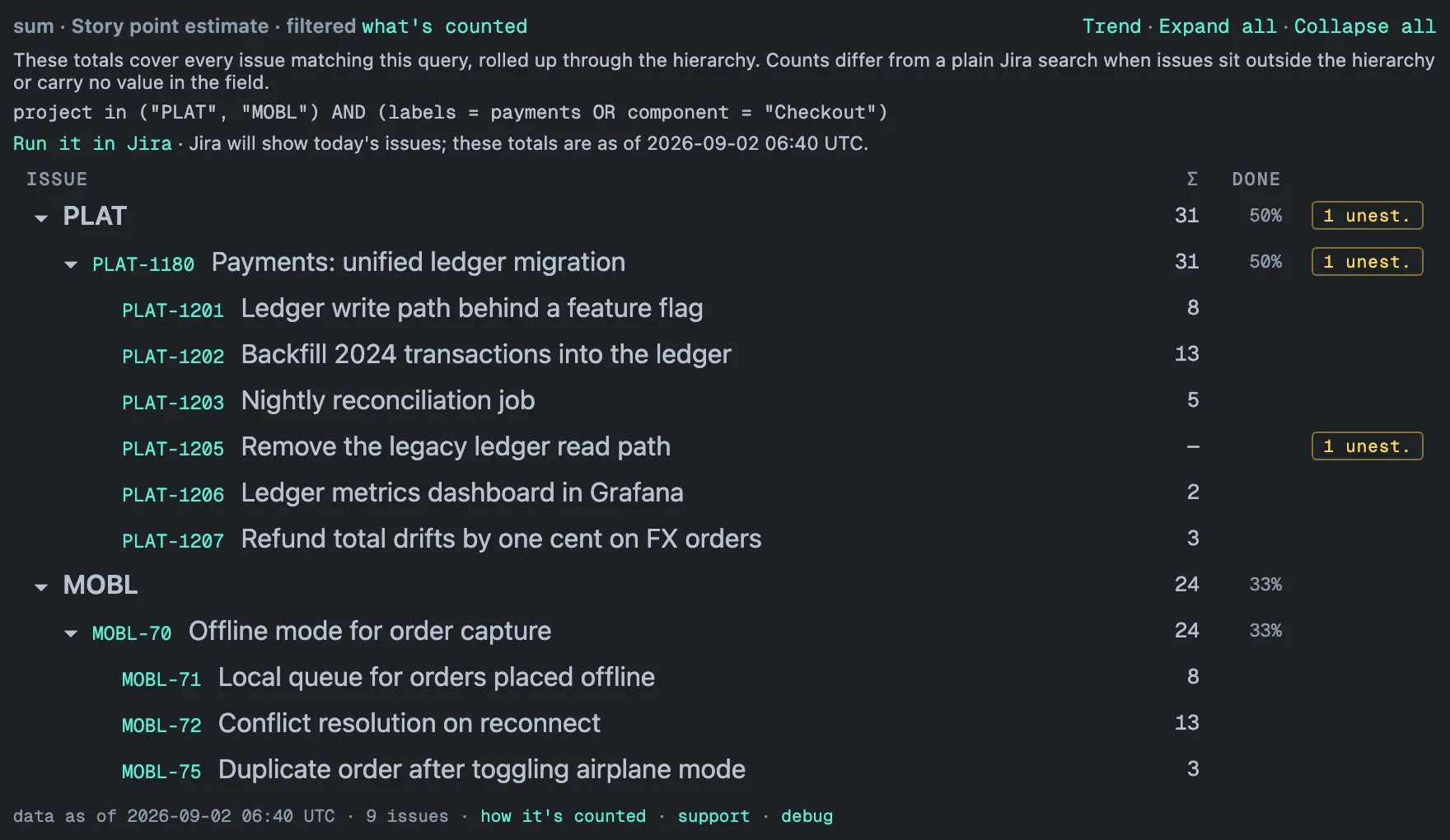
The exact query behind the totals — the projects plus the JQL filter — with the data-as-of stamp, and Jira’s issue search opened on that query. In the footer, how it’s counted opens the counting rule and whatever the table leaves out.
Why it pays
The “your total versus my search” thread ends with a query both sides can run, instead of a recount by hand.
Limits
Jira shows today’s issues while the totals are as of the stored copy (updated hourly, re-read in full daily), so the two can differ by what changed since. Under a filter, the DONE share counts work items among the matched issues only. Every viewer sees only what their permissions allow.